Intro
Owning your own domain is one thing. Setting up email on your own domain is another.
In this guide, we set up a free email service for our own domain. It uses the free tier of both providers, so sending and receiving email costs nothing.
Note: I will use my email me@franzramadhan.dev as an example in this post.
Prerequisites
Prepare these things first:
- A domain and DNS zone that Cloudflare manages, and an account with access to Cloudflare Email Routing
- Mailjet account
- A public email account for sending and receiving email, for example Gmail, Hotmail, or Outlook.
- Some mail providers do not show messages that come from the same address. So you can need a different address for sending and for receiving. This matters most during the verification process.
Setup
These steps set up both receiving and sending mail for an address in your own domain.
Cloudflare Email Routing for Email Receiving
Route email sent to your domain to your free email provider, for example Gmail, Live, or iCloud. Follow this Cloudflare Email Routing doc. Verify the address from the inbox of your free email provider.
In the email security records, set the TXT record for DMARC in your domain. DMARC tells receivers what to do with mail that fails the checks. You can usually find it under this URL:
https://dash.cloudflare.com/<account-id>>/<website-name>/email/dmarc-management/dns. Replace the<account-id>>/<website-name>with your own.Create a new DNS TXT record for SPF. SPF lists the servers that can send mail for your domain. This record lets Mailjet send email on behalf of your domain.
"v=spf1 include:spf.mailjet.com include:_spf.mx.cloudflare.net ~all"Send an email to your address to make sure that receiving works. In my case the source address is
franzramadhan@icloud.com. The destination address isme@franzramadhan.dev, which forwards to my personal Gmail account.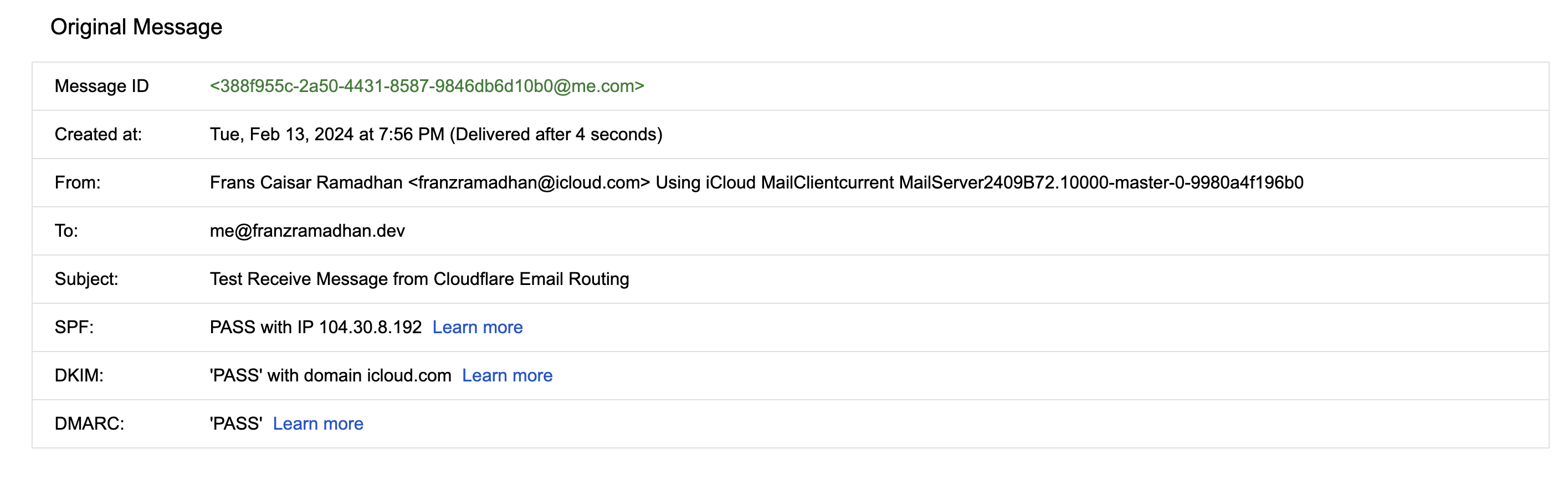
receive email from cloudflare email routing
MailJet as SMTP Relay for Email Sending
Validate your domain so you can legitimately send email from its addresses. Follow this guide.
For the validation method, use DNS validation. It requires a DNS TXT record in your zone.
Also set a DNS TXT record for DKIM. DKIM signs outgoing mail so receivers can verify the sender. Get the required values from Mailjet. You can usually find them at https://app.mailjet.com/account/sender?type=auth.
After you set it, you get a status like this.
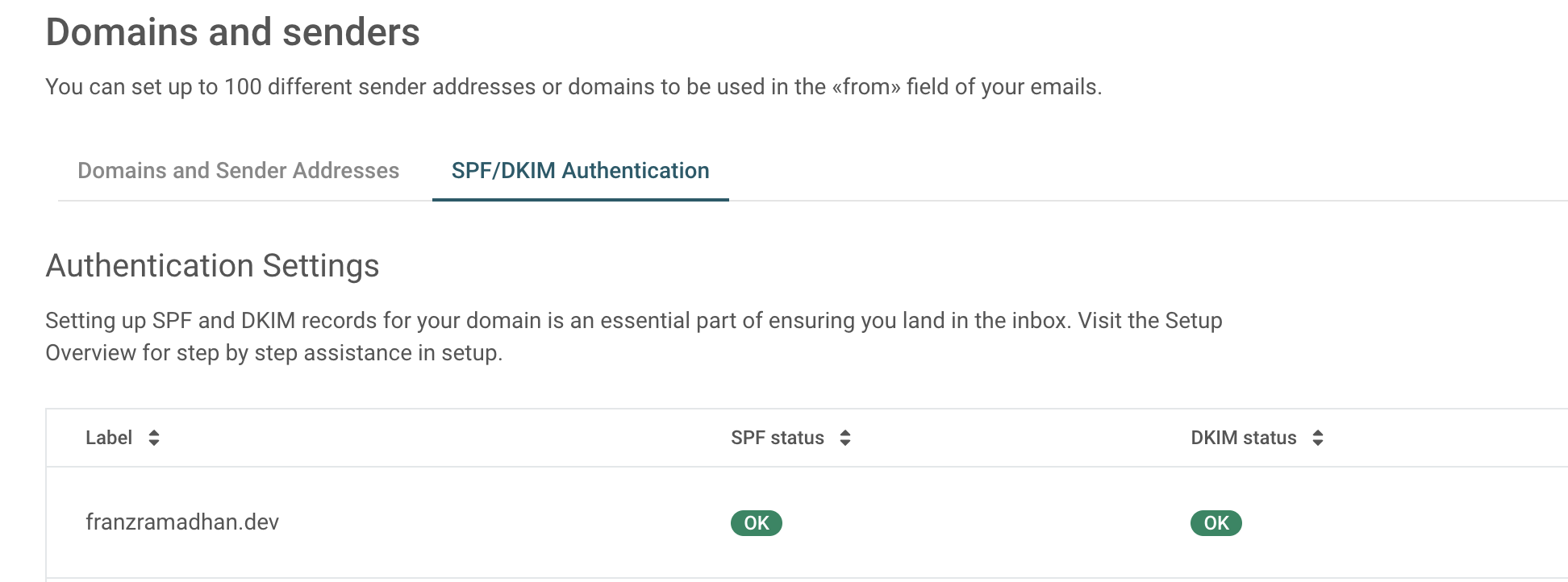
mailjet dkim and spf status Generate the SMTP relay configuration and credential at https://app.mailjet.com/account/relay. Save the
Secret Keyin a safe place, for example a secret manager. Mailjet shows it only once.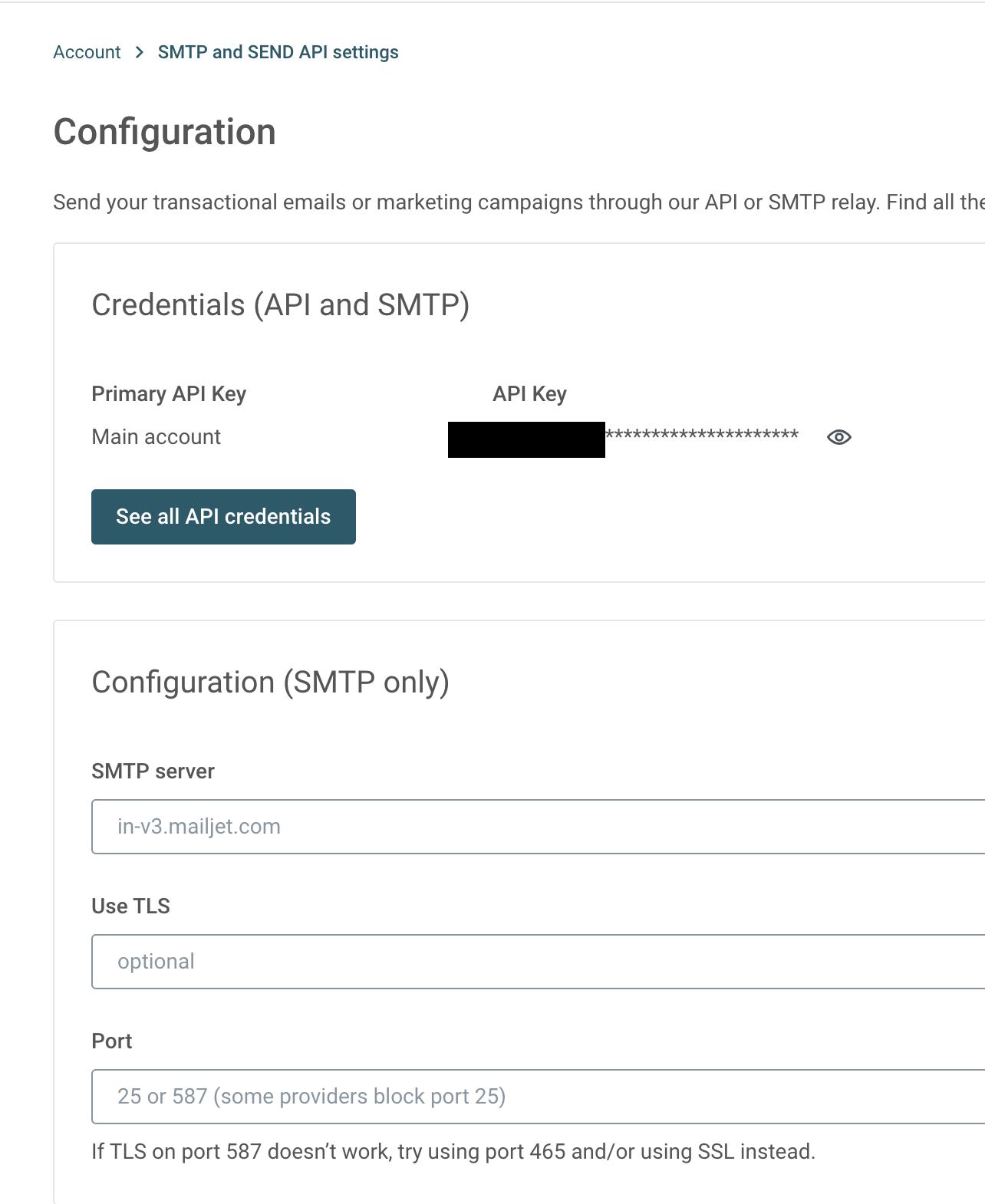
mailjet smtp config In Gmail, you can send from an alternate address with a custom credential. Go to account settings https://mail.google.com/mail/u/0/#settings/accounts ->
Send mail as-> ClickAdd another email address.In the name and email fields, fill in your name and the email address for the alternate sending address. Make sure that the
Treat as an aliasbox is clear.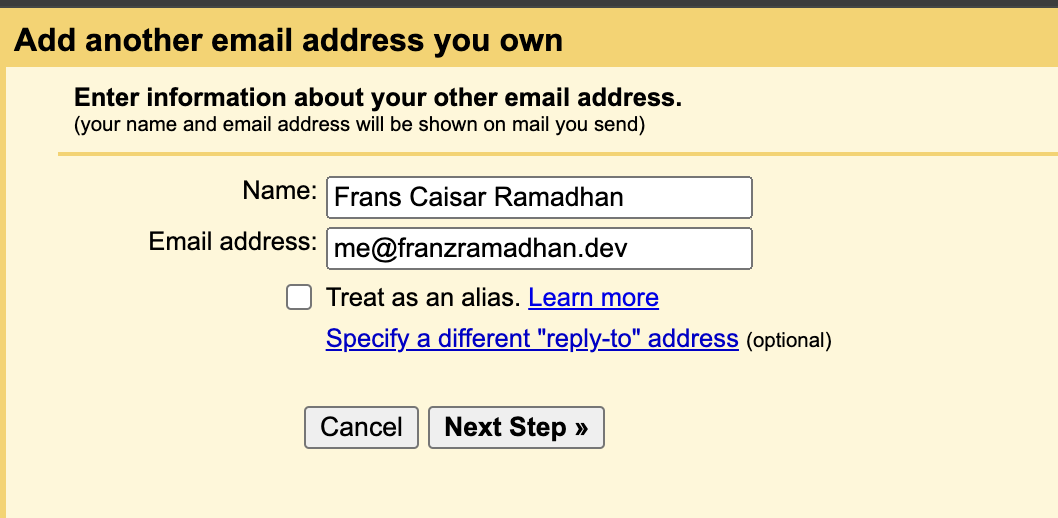
gmail set alternate sending address In the
Send mail through your SMTP serverstep, setSMTP Servertoin-v3.mailjet.comandPortto587. SetUsernametoMailJet API KeyandPasswordtoMailjet Secret Key. Always use the recommended setting, TLS over SSL. Save the changes when you finish.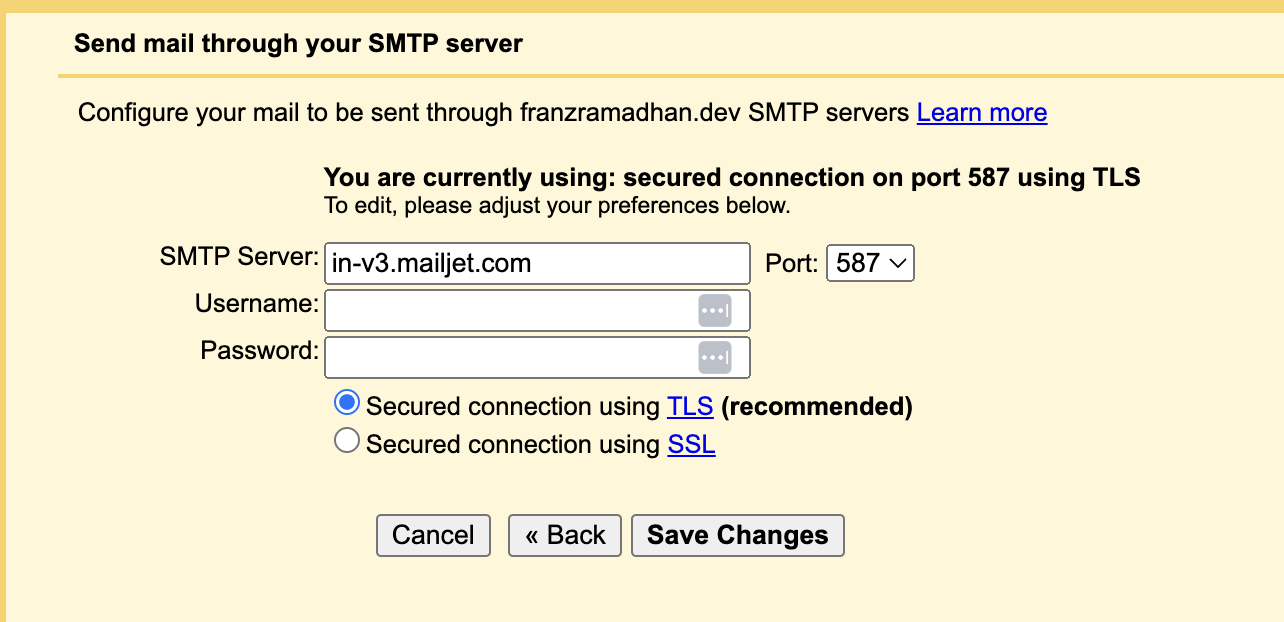
gmail set smtp relay credential When it is done, send a test email from your own address. In this example I sent email from
me@franzramadhan.devtofranzramadhan@icloud.com.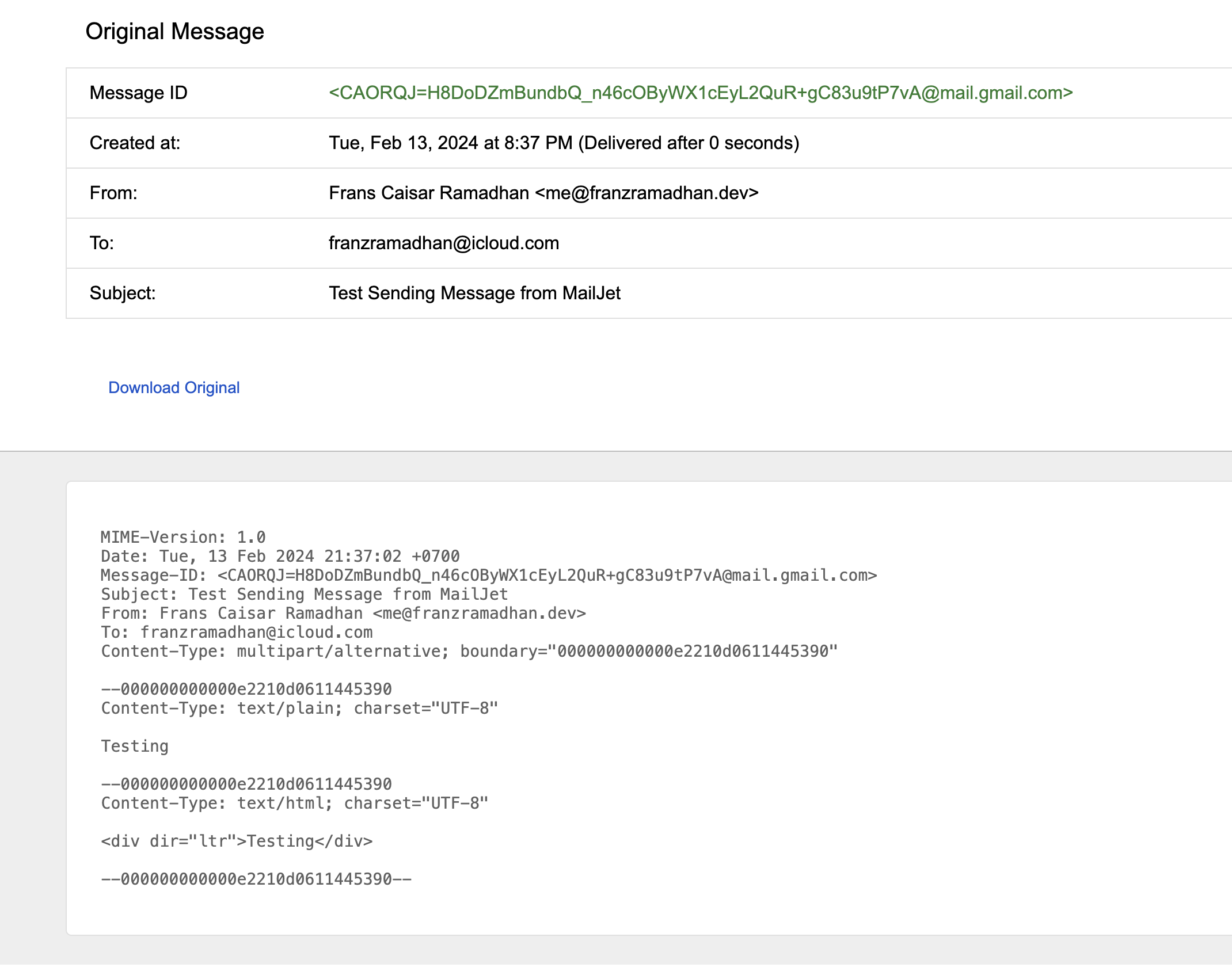
email sent from gmail using alternate address 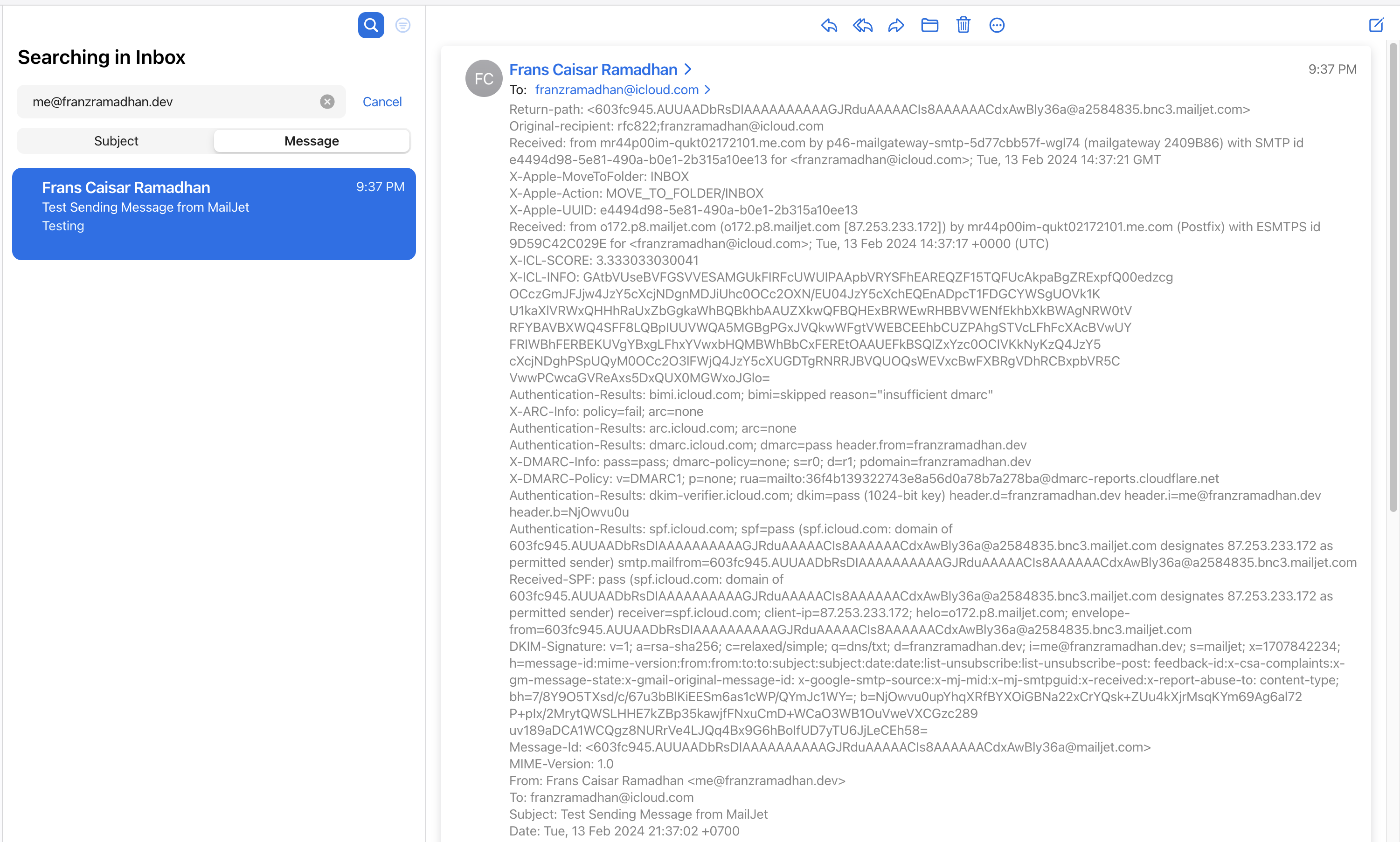
complete header for received email As the picture below shows, the sent mail also passed SPF, DMARC, and DKIM validation. So receivers mark our address as legitimate. Messages from our own address have less chance to land in spam.

spf,dmarc,and dkim validation status
Outro
With the setup above, you now have email on your own domain with Cloudflare Email Routing and Mailjet. Mailjet gives you up to 200 free emails per day, with up to 100 alternate addresses. Cloudflare Email Routing gives you 200 routing rules and addresses for receiving email. I hope this is useful for you.