Intro
Everything security-related in the lab so far looks at the cluster: Tetragon watches processes in containers, Kyverno checks what gets admitted, and the kube-apiserver audit log records who did what (Part 34). None of it sees the machines around the cluster: my MacBook, which holds the keys to all of it, and the three Proxmox hosts that run it.
The tool I knew from work for that is Wazuh: an agent on each machine that watches files, checks the configuration against CIS benchmarks, reads the security-relevant logs, and sends everything to a manager that rates each event with a level. The catch is that a standard Wazuh install wants about 8 GB of RAM, most of it for its search engine. The lab has nowhere near that to spare.
TL;DR: I run the Wazuh manager alone (no indexer, no dashboard) as one pod in k0s, using about 340 MB. Its state is embedded SQLite on a 5Gi volume, its config comes from git and OpenBao, and agents reach it over the LAN or the tailnet. A sidecar tails
alerts.jsonto stdout, so alerts flow through the existing OpenTelemetry pipeline into VictoriaLogs, a Grafana dashboard and a level 10+ alert to Telegram. Agents run on my Mac and on pve-01/02/03. Giving up the indexer costs Wazuh’s CVE detection, so debsecan covers the hosts and a Tailscale device posture refuses tailnet access to an outdated macOS. Seven things went wrong on the way, the worst one silently: the manager ran its default config for the first hour.
The Figure
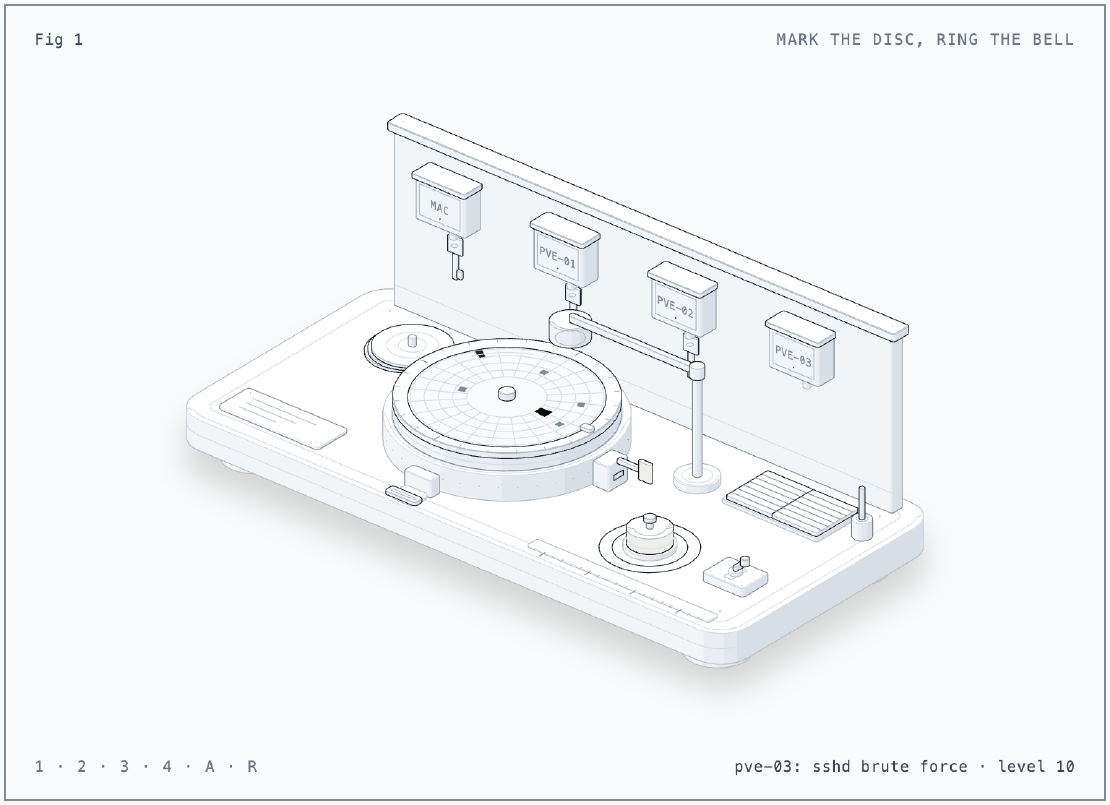
The figure is a watchman’s clock on a guard’s desk, because that is what a Wazuh agent does: a guard walks a round, turns each station’s key in the clock, and the clock embosses a mark on a turning paper disc. Press 1 to 4 to turn the key for the Mac, pve-01, pve-02 or pve-03; each mark lands in that station’s lane and grows with the rule level, and a mark of level 10 or more rings the bell on the desk, which is the Telegram alert. Press A to take the clock away from the desk, like a laptop with no network: marks still go on the disc but stay hollow, and only when the disc is read (R, or coming back) do they count and ring. The marks are real alerts from the first day, such as the pve-03 brute force test at level 10 and the Mac file limit at level 12. I built it with the anatomy skill (see References).
The Situation
- Endpoints: one MacBook Pro (macOS 26.7.1) and three Proxmox hosts (PVE 9, Debian 13 trixie). The other Macs at home already run their own endpoint security, so they stay out.
- Cluster: k0s with Flux, Cilium, OpenBao with External Secrets, VictoriaLogs and Grafana (Parts 14, 16, 28), alerts to Telegram and email (Part 32).
- Free RAM: about 8 to 9 GB on pve-01 and pve-02, 1.2 GB on pve-03, and the k0s workers are already busy.
- Nights: every VM, and with it the cluster, is off from 23:30 to 06:00 WIB. A laptop used at night can’t reach anything in the cluster.
- Rules I set myself: no new database engine, and no new third-party scanner in the trust chain.
The Selection
I went through five options before Wazuh came back in a smaller form.
| Option | Server | Covers the Mac | CVE detection | Why not |
|---|---|---|---|---|
| Full Wazuh (manager, indexer, dashboard) | about 8 GB, OpenSearch | yes | yes | RAM |
| Tetragon, Falco, Tracee (eBPF) | none | no | no | eBPF is Linux only; macOS uses Apple’s EndpointSecurity framework |
| osquery + Fleet | Fleet + MySQL + Redis, about 1 GB | yes | yes | Fleet supports only MySQL, and I didn’t want a new database engine |
| osquery + Vector, no server | none | yes | no | per-machine config, no live queries, no CVE matching |
| Velociraptor | single binary | yes | no | built for forensics and hunting, alerting is do-it-yourself |
| Wazuh manager only | about 1 GB, embedded SQLite | yes | no (needs the indexer since 4.8) | picked |
Two questions settled it.
Can Wazuh keep its state in Postgres, like everything else here? No.
Everything the manager keeps lives in local files under /var/ossec: the agent
registry (client.keys, global.db), per-agent SQLite databases, queues. But
that state turns out to be cheap. Config can come from git, alerts go to
VictoriaLogs anyway, and the rest rebuilds itself (more on that in Results).
What about CVEs? The obvious host scanner was Trivy, which I had used before. In 2026 Trivy itself was compromised (CVE-2026-33634, a supply-chain attack on its releases and GitHub Actions). I’d rather not run a third-party scanner as root on the hypervisors. debsecan is Debian’s own tool, installed from the Debian archive I already trust, and it checks packages against the Debian Security Tracker. For the Mac, the practical control is “patched or not”, and Tailscale can enforce that.
The Design
flowchart LR
  MAC[MacBook agent] -->|1514/1515 LAN or tailnet| LB[LoadBalancers<br/>LAN .162 + tailnet]
  PVE[pve-01/02/03 agents] -->|1514/1515 LAN| LB
  LB --> MGR[wazuh-manager<br/>StatefulSet, 1 pod]
  GIT[git: ossec.conf<br/>agent.conf] --> MGR
  BAO[OpenBao: enrollment<br/>password] --> MGR
  MGR -->|alerts.json| SC[alerts sidecar<br/>tail to stdout]
  SC --> VL[otel-agent<br/>VictoriaLogs]
  VL --> GF[Grafana dashboard<br/>rule: level 10+]
  GF --> TG[Telegram + email]
- One pod, Wazuh 4.14.9. A StatefulSet with requests of 100m CPU and 512Mi memory, limits of 1 CPU and 1Gi, on a worker with a data disk. It settles at about 342 MB.
- Config from git.
ossec.conffor the manager andagent.conffor the agents come from a ConfigMap. The agents pullagent.conffrom the manager, so I change what the Mac and the hosts watch with a commit, not a visit. - The enrollment password lives in OpenBao and reaches the pod through External Secrets.
- State on one 5Gi volume: agent keys, file-integrity baselines, check results, queues.
- Two LoadBalancers. One on the LAN at
192.168.101.162(Cilium LB IPAM), one on the tailnet through the Tailscale operator. Agents list the LAN first and the tailnet second, so the Mac works at home and away. - No Filebeat. The image ships Filebeat to feed the indexer. Without an
indexer it exits, and its s6
finishscript takes the whole container down. Two tiny overrides replacerunwithsleep infinityandfinishwithexit 0. - Alerts out through stdout. A busybox sidecar runs
tail -n0 -F /alerts/alerts.json. The existing OpenTelemetry agent ships container stdout to VictoriaLogs, so Wazuh needs no output plugin at all.
What the agents watch:
| Mac | Proxmox hosts | |
|---|---|---|
| Logs | unified log: sudo, sshd, loginwindow, securityd, authorization, TCC, XProtect, syspolicyd | journald: ssh, pveproxy, pvedaemon, systemd-logind, sudo |
| File integrity | LaunchAgents and LaunchDaemons (realtime), /etc, Homebrew and /usr/local/bin, /Applications top level | /etc, /usr/bin, /usr/sbin, /root/.ssh (realtime), /boot |
| CIS checks (SCA) | CIS macOS 26 Tahoe, every 12 h | CIS Debian 13, every 12 h |
| Rootcheck | yes, without the port check | yes |
The overnight gap. When the cluster is off, an agent keeps events in a local buffer and sends them when the manager is back. The default buffer holds 5,000 events; I raised it to 100,000 so a long evening on the Mac fits:
<client_buffer>
  <disabled>no</disabled>
  <queue_size>100000</queue_size>
  <events_per_second>500</events_per_second>
</client_buffer>
Issue 1: Kyverno Refused the LoadBalancers
Symptom
The Flux Kustomization for Wazuh stayed not ready:
Policy restrict-service-types failed: LoadBalancer Services are only allowed in gateway, pihole and kube-system
Cause
My own guardrail from Part 11. LoadBalancer Services are an exposure decision, so Kyverno allows them only in an explicit list of namespaces.
Fix
Add wazuh to the list, in its own PR, so the exception is visible in history.
Issue 2: The Manager Ran Its Default Config, Quietly
Symptom
The pod was 2/2 Ready with no restarts, and the log looked healthy. But it was
running modules I had turned off: SCA was scanning the container against
cis_amazon_linux_2023.yml, syscollector was inventorying it, and an indexer
connector kept retrying. The first line of /var/ossec/etc/ossec.conf gave it
away:
<!--
  Wazuh - Manager - Default configuration for amzn 2023
Cause
The image copies everything in /wazuh-config-mount over /var/ossec at start.
I mounted a projected volume there, and a projected volume puts its files behind
a ..data symlink. So /wazuh-config-mount/etc was a symlink, and cp refused
to put it over the real directory. The init script logged the error and the
manager started anyway with the image defaults:
cp: cannot overwrite directory '/var/ossec/etc' with non-directory
Error executing command: 'cp --verbose -r /wazuh-config-mount/* /var/ossec'.
[cont-init.d] 0-wazuh-init: exited 1.
[cont-init.d] 2-manager: executing...
Fix
Mount each file with subPath, which gives plain files. The ConfigMap name
carries a content hash, so a config change still restarts the pod.
- {name: config, mountPath: /wazuh-config-mount/etc/ossec.conf, subPath: etc/ossec.conf, readOnly: true}
- {name: config, mountPath: /wazuh-config-mount/etc/shared/default/agent.conf, subPath: etc/shared/default/agent.conf, readOnly: true}
- {name: config, mountPath: /wazuh-config-mount/etc/authd.pass, subPath: etc/authd.pass, readOnly: true}
“Ready” only meant the port was open. I now check the first line of the running config, not just the pod status.
Issue 3: Indexer Warnings With No Indexer
Symptom
Even with the right config, the manager logs this once per agent sync:
indexer-connector: WARNING: Failed to sync agent '001': No available server
Cause
The inventory harvester in 4.14 tries to sync agent inventory to the indexer whether one is configured or not, and I found no setting to switch it off.
Fix
None needed. With no agents the manager log was silent (0 lines in two minutes); while the agents enrolled it logged about 20 of these in ten minutes, then went quiet again.
Issue 4: The Mac Hit the File Limit on Its First Scan
Symptom
The first real alert in Telegram was level 12, from the Mac:
The maximum limit of files monitored has been reached. At this moment there are 100000 files and the limit is 100000.
Cause
I had /Applications under full file-integrity monitoring. App bundles are
directories with thousands of files each, and they filled the 100,000-file
limit in one scan.
Fix
Watch only the top level: an app added, removed or replaced still shows up, and code signing plus XProtect already cover tampering inside a bundle.
<directories check_all="yes" recursion_level="1">/Applications</directories>
Issue 5: Hidden Ports That Weren’t
Symptom
Rootcheck on the Mac kept raising level 7 alerts like
Port '55555'(tcp) hidden. Kernel-level rootkit or trojaned version of netstat.,
each time for a different port.
Cause
Rootcheck binds every port to see if it is in use, then compares the result
with netstat. On a laptop, short-lived sockets open and close between the two
checks, so the lists never agree.
Fix
<check_ports>no</check_ports> for macOS only. The other rootcheck tests stay.
Issue 6: The Full Disk Access Picker Showed an Empty Folder
Symptom
The agent needs Full Disk Access to read protected files and logs. In System
Settings, the file picker opened /Library/Ossec and showed nothing.
Cause
The folder is drwxr-x--- root:wazuh, and the picker runs as my user, who is in
neither.
Fix
Open it for a moment, add the binaries, close it again:
sudo chmod o+rx /Library/Ossec /Library/Ossec/bin
# Cmd+Shift+G in the picker, /Library/Ossec/bin:
# add wazuh-syscheckd, wazuh-logcollector, wazuh-modulesd
sudo chmod o-rx /Library/Ossec /Library/Ossec/bin
sudo /Library/Ossec/bin/wazuh-control restart
The unified log confirmed it right away: three level 5 alerts,
/Library/Ossec/bin/wazuh-syscheckd has been granted permission to kTCCServiceSystemPolicyAllFiles,
one per binary.
Issue 7: The Posture Broke the Policy Tests
Symptom
After adding the macOS posture to the tailnet policy, saving failed:
[acl test error]: address "<host>:443" (protocol "tcp"): want: Accept, got: Drop
Cause
A policy test runs as a user with no device behind it, so it has no posture
attributes, and every grant with srcPosture drops it.
Fix
Give the test the attributes with srcPostureAttrs, and add the case that
should fail:
{
  "src": "you@example.com",
  "srcPostureAttrs": {"node:os": "macos", "node:osVersion": "26.6.0", "node:tsReleaseTrack": "stable"},
  "deny": ["<host>:443"]
}
Client Rollout
The Proxmox Hosts
proxmox/wazuh-agent/install.sh adds the Wazuh apt repository, installs the
agent 4.14.9-1, and holds it, because an agent must never be newer than its
manager. It then rewrites the <client> block, writes the enrollment password,
and starts the agent. The password never appears on a command line: it is read
from the cluster and passed on stdin.
scp proxmox/wazuh-agent/install.sh root@pve-03:/root/wazuh-agent-install.sh
kubectl -n wazuh get secret wazuh-authd -o jsonpath='{.data.authd\.pass}' | base64 -d \
  | ssh root@pve-03 TAILNET_NAME=wazuh.<tailnet>.ts.net bash /root/wazuh-agent-install.sh
# wazuh-agentd: INFO: Valid key received
# wazuh-agentd: INFO: (4102): Connected to the server ([192.168.101.162]:1514/tcp).
Twenty-five seconds after connecting, the agent pulled agent.conf from the
manager, reloaded, and started reading the journal. I did pve-03 first, then
pve-01 and pve-02.
The Mac
The Mac script does the same with the .pkg, plus one check first: it refuses
to install a package that isn’t signed by Wazuh’s developer ID.
pkgutil --check-signature "$PKG" | grep -q 'Developer ID Installer: Wazuh Inc (KLZK8P68R5)' \
  || { echo "package signature is not Wazuh's" >&2; exit 1; }
installer -pkg "$PKG" -target /
The real package is also notarized by Apple. After the install comes the Full Disk Access step from Issue 6. The agent picked the CIS macOS 26 Tahoe benchmark by itself.
CVEs Without the Indexer
debsecan on the Hosts
A daily timer runs debsecan and writes the counts as Prometheus text for Alloy’s textfile collector, the same pattern as the SMART metrics from Part 32:
debsecan_vulnerabilities{fixed="true",urgency="other"} 9
debsecan_vulnerabilities{fixed="false",urgency="low"} 2
debsecan_vulnerabilities{fixed="false",urgency="other"} 1130
apt_upgrades_pending 4
apt_last_upgrade_timestamp_seconds 1791970872
Most of the 1,141 open CVEs on pve-03 have no Debian fix yet. The 9 with
fixed="true" are the ones an upgrade clears. debsecan only knows Debian
packages, not Proxmox’s own (kernel, qemu-server, pve-*), so the last upgrade
time covers those. Four rules in Grafana Cloud use the metrics:
| Rule | Fires when |
|---|---|
| PVE security fixes not applied | fixable CVEs and no upgrade for 7 days |
| PVE high-urgency security fix available | a high-urgency CVE has a fix |
| PVE host not upgraded in 30 days | covers the Proxmox packages |
| PVE debsecan metrics stale | no successful run for 2 days |
One catch: the existing “SMART metrics stale” rule took the age of every
textfile on the host. A file written once a day would have tripped it within
the hour, so it now looks at smart.prom only. Also, the debsecan package turns
on a daily mail report to root by default; the script sets REPORT=false.
Tailscale Posture for the Mac
Tailscale’s built-in posture attributes (node:os, node:osVersion) are free
on every plan. The obvious version, a posture on the existing member grant,
would have cut off the Proxmox hosts too, since they are member devices running
linux, and they talk to each other over the tailnet. Grants add up, so two of
them express “not a Mac, or a current Mac”:
"postures": {
  "posture:macosCurrent": [
    "node:os == 'macos'",
    "node:osVersion >= '26.7'",
    "node:tsReleaseTrack == 'stable'"
  ],
  "posture:notMac": ["node:os != 'macos'"]
},
"grants": [
  {"src": ["autogroup:member"], "srcPosture": ["posture:notMac"],       "dst": ["*"], "ip": ["*"]},
  {"src": ["autogroup:member"], "srcPosture": ["posture:macosCurrent"], "dst": ["*"], "ip": ["*"]}
]
There is no “latest macOS” attribute, so 26.7 is a floor I raise by hand
after each point release. If the Mac falls below it, it loses tailnet access
until it updates; at home the LAN still works.
Results
End to end. Ten SSH attempts with made-up users on pve-03 gave nine level 5 alerts (rule 5710) and one level 10 (rule 5712, brute force). The Grafana rule picked it up on its next one-minute run and sent it to Telegram; it resolved by itself once the event left the five-minute window.
Losing the state costs nothing. I deleted pve-03’s key on the manager. The agent noticed, enrolled again with the password, and was back about 60 seconds later as agent 005. Alerts and the dashboard group by name, so a lost volume only renumbers the agents, and I don’t back it up.
| Agent | CIS benchmark | Score | Passed / failed |
|---|---|---|---|
| pve-01, pve-02, pve-03 | CIS Debian Linux 13 | 43% | 82 / 105 (20 not applicable) |
| MacBook Pro | CIS macOS 26 Tahoe | 57% | 37 / 27 |
The host scores are low because CIS assumes a general-purpose server: separate
partitions for /var/log, auditd rules, AIDE. Some of that is worth doing,
most of it is not for a hypervisor. On the Mac, the failed checks gave me a
short to-do list: confirm FileVault, firewall stealth mode, and sudo logging.
| Value | |
|---|---|
| Manager memory | about 342 MB (limit 1Gi) |
| Alerts in the first scan | 622 (363 level 3, 258 level 7, mostly CIS results) |
| Steady manager log | quiet after enrollment |
| Grafana | dashboard Homelab / Wazuh, 13 panels from VictoriaLogs |
Lessons
- Ask what the heavy part buys you. Wazuh’s 8 GB is search and a UI. The detection lives in a manager that fits in a few hundred MB, and Grafana was already here.
- Ready is not configured. The pod was healthy while running the wrong config. Check the config the process actually loaded.
- Projected volumes are symlinks. Anything that copies a mounted
directory will trip on
..data; mount files withsubPath. - Scope file monitoring to what changes on purpose. Recursing into app bundles watched 100,000 files that code signing already protects.
- Test the cheap recovery before paying for a backup. One deleted key showed that the manager’s state rebuilds itself in a minute.
- Posture conditions are AND, grants are OR. “Not a Mac, or a current
Mac” needs two grants, and the policy tests need
srcPostureAttrs. - Use the distro’s own scanner on the hypervisor. debsecan trusts the same keys as the OS; a compromised third-party scanner would run as root.
Series
This post is part of Homelab Rebuild:
- Part 1: Upgrading Proxmox VE 8 to 9
- Part 2: Starting Over When the IaC Is Broken
- Part 3: When Tailscale Breaks Your Cilium Gateway
- Part 4: Living on the Tailnet
- Part 5: Secrets Without Secrets in Git
- Part 6: Certificates, DNS and a Private CA
- Part 7: Self-Hosted CI and Getting Back to IaC
- Part 8: Stateful Workloads on Unequal Hardware
- Part 9: Going Public Safely with Cloudflare Tunnel
- Part 10: When the Hypervisor Went Quiet
- Part 11: Hardening the Cluster in Five Layers
- Part 12: Observability with Coroot, and Losing pve-01
- Part 13: The Host That Kept Losing Power
- Part 14: Observability, Take Two with OpenTelemetry
- Part 15: Requests and Limits for Everything
- Part 16: Handing the Cluster to FluxCD
- Part 17: Making the Guardrails Earn Their Keep
- Part 18: When the API Server Outgrew Its VM
- Part 19: Logging In to OpenBao with Cloudflare Access and Google
- Part 20: Headlamp SSO, or Teaching kube-apiserver to Trust Cloudflare Access
- Part 21: pve-02 Loses Power, and Pi-hole Has Nowhere to Go
- Part 22: Turning Four Days of Fixes into AI Runbooks
- Part 23: microVM Sandboxes on Proxmox
- Part 24: Pi-hole Without a Home Host
- Part 25: It Was the Router
- Part 26: TLS on the Front, Plaintext Behind It
- Part 27: One Bad Power Adapter, Two Different Deaths
- Part 28: Observability, Take Three: Making It Worth Looking At
- Part 29: One Meter for Every Model, LiteLLM on Workers AI
- Part 30: Proxmox Joins the SSO, and a Plan Token Loses Admin
- Part 31: First Backups, Postgres, OpenBao and etcd to R2
- Part 32: Alerts That Reach Me, Even When the Lab Is Dead
- Part 33: The Firewall Held, the Tailnet Did Not
- Part 34: From Watching to Blocking, and a Record of Who Did What
- Part 35: Wazuh Without the 8 GB, Endpoint Security for One Mac and Three Hosts (this post)