Intro
The three mini PCs under the desk got loud. My first guess was that something in the cluster was pinning the CPUs, so that is how I asked the question: “what is maxing out the CPU?” Nothing was. The CPUs were mostly idle and running at full clock anyway, because that is what Proxmox tells them to do.
TL;DR: Proxmox VE sets the
performanceCPU frequency governor, which keeps cores near their top clock even at idle. pve-03 sat at 2700 MHz and 75°C on 5% load. A small boot-time unit (cpu-power.service) now setspowersavewith EPPbalance_poweron the Intel host andschedutilon the two Ryzens. pve-03 dropped to 800 MHz and 56°C, pve-01 to about 1600 MHz. I then checked three suspects for the rest of the load (the descheduler, Kyverno’s reports controller, KVM overhead) and ruled out all three: pve-02 is louder because it simply runs about twice the guest work.
The Figure
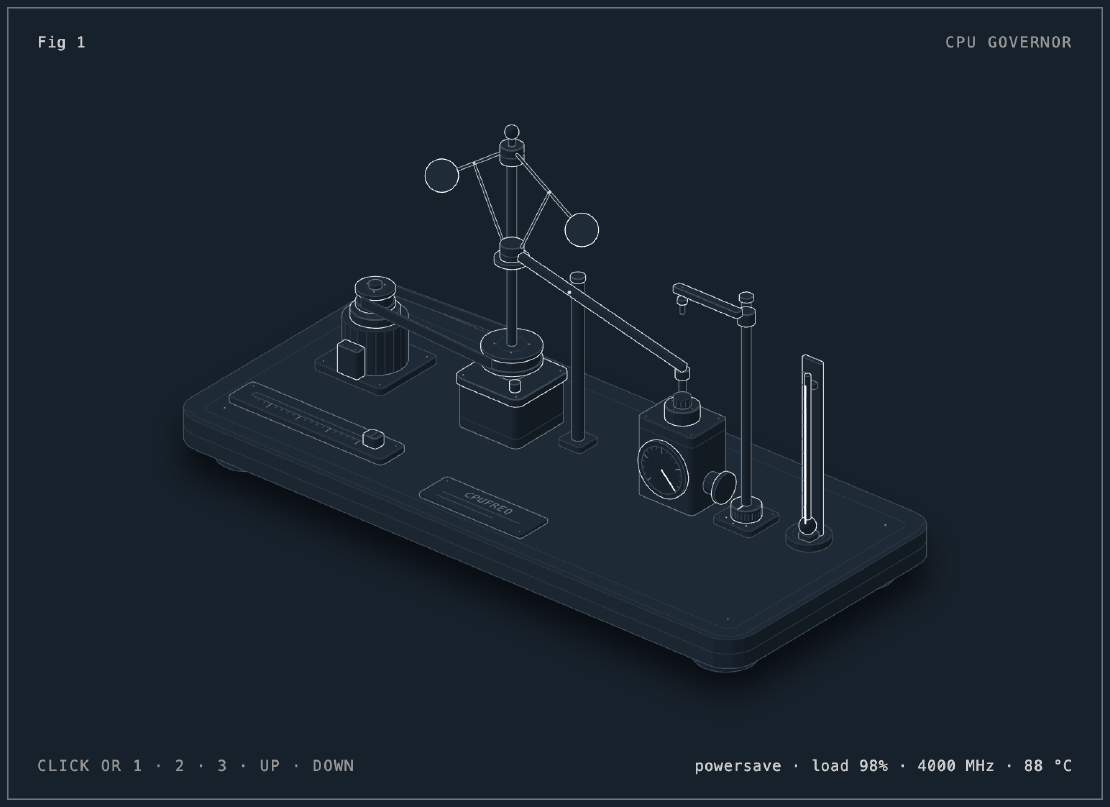
The figure is a centrifugal flyball governor, the steam-engine part the Linux
feature is named after. Load spins the spindle, the balls swing out, the sleeve
rises and the lever opens the throttle. Switch it to performance and the
throttle is pinned open no matter what the balls do: that was my lab this
morning.
The idle numbers in the readout are the ones I measured; the full-load numbers
are modelled from each chip’s maximum clock and were not measured.
The Situation
| Host | CPU | cpufreq driver | Guests |
|---|---|---|---|
| pve-01 | Ryzen 5 2400GE | acpi-cpufreq | controller-01, two workers |
| pve-02 | Ryzen 5 2400GE | acpi-cpufreq | controller-02, two workers |
| pve-03 | i7-8550U | intel_pstate | controller-03, quorum-only worker |
These are low-power chips (35 W and 15 W) in small cases with small fans. They get noisy as soon as they get warm, and “warm” here is a lot closer to “idle” than I expected.
Issue 1: The Load Numbers Lied, a Little
Symptom. top -bn1 on pve-02 showed the KVM processes at several hundred
percent together, then 184% a few seconds later. Inside the guests, the same
VMs looked nearly idle.
Cause. The first sample of top -bn1 has no earlier sample to compare
against, so its CPU numbers swing wildly. It is not a reading you can act on.
The second sample of top -bn2 is, and so is the Proxmox RRD, which keeps an
average per minute.
top -bn2 -d10        # read the second block
pvesh get /nodes/pve-02/rrddata --timeframe day --output-format json
Fix. Read the trend, not the snapshot. Over the day, no host went above 58%, and that peak was the 06:00 boot of all eight VMs. Steady state was about 12% on pve-01, 30% on pve-02 and 5% on pve-03. Nothing was maxing out. So the question became: why are the fans loud at 5%?
Issue 2: The Governor Held the Clock Up
Symptom. At 5% load, pve-03 averaged 2700 MHz across its cores and read 75°C. The Ryzens sat near 2900 to 3000 MHz at 12 to 30%.
cat /sys/devices/system/cpu/cpu0/cpufreq/scaling_driver     # intel_pstate / acpi-cpufreq
cat /sys/devices/system/cpu/cpu0/cpufreq/scaling_governor   # performance
grep MHz /proc/cpuinfo
sensors
Cause. Proxmox VE sets the performance governor on purpose: a hypervisor
that never waits for a clock ramp gives guests the lowest latency. On a rack
server with real airflow that trade is cheap. On a mini PC it means idle cores
stay near full clock, the package stays warm, and the fan curve does the rest.
Fix. Pick the governor per driver, because the two drivers offer different ones:
- intel_pstate (pve-03):
powersaveplus the energy-performance preferencebalance_power. Despite the name,powersaveunder intel_pstate is not “always slow”: the hardware still boosts under load, and the EPP hint only tells it how eagerly. - acpi-cpufreq (pve-01, pve-02):
schedutil, which sets the clock from the scheduler’s own utilisation numbers.
I wrote both by hand first and watched the result. pve-03 dropped 12°C within a minute.
Issue 3: Making It Survive a Reboot
Symptom. Writes to /sys are gone after a reboot, and these hosts follow a
daily power schedule.
Fix. A oneshot unit that runs at boot, installed the same way on all three hosts from the infra repo:
#!/bin/sh
# /usr/local/sbin/cpu-power
for c in /sys/devices/system/cpu/cpu*/cpufreq; do
  if [ "$(cat "$c/scaling_driver")" = intel_pstate ]; then
    echo powersave > "$c/scaling_governor"
    echo balance_power > "$c/energy_performance_preference"
  else
    echo schedutil > "$c/scaling_governor"
  fi
done
# /etc/systemd/system/cpu-power.service
[Unit]
Description=Power-saving CPU governor

[Service]
Type=oneshot
ExecStart=/usr/local/sbin/cpu-power

[Install]
WantedBy=multi-user.target
for h in pve-01 pve-02 pve-03; do ssh root@$h bash -s < proxmox/cpu-power/install.sh; done
ssh root@pve-03 'cat /sys/devices/system/cpu/cpu0/cpufreq/scaling_governor; systemctl is-enabled cpu-power'
One script handles both vendors by reading scaling_driver, so there is no
per-host config to keep in sync. Reverting is systemctl disable --now cpu-power and a reboot.
What I Ruled Out
pve-02 stayed warmer than the others after the fix, so I looked for a software cause before blaming the hardware. Three suspects, three dead ends.
The descheduler
The descheduler evicts pods so the scheduler can place them better. It would only help if the placement were bad. It is not:
- CPU requests per worker: 16% and 13% on pve-01, 23% and 15% on pve-02, 5% on the quorum-only pve-03 worker.
- The heavy pods (Postgres, OpenBao, VictoriaMetrics) are pinned to their node
by
local-pathvolumes. The descheduler can evict them, but they can only come back to the same node. - Every VM boots at 06:00, so the scheduler places everything fresh once a day anyway.
Kyverno’s reports controller
kyverno-reports-controller sat exactly at its 200m CPU limit, which looks
like a pod being strangled. Measured, it used 0.12 to 0.21 of a core: 113 to
214 policy evaluations a minute at about 16 ms each, background scans of Pods
against about 19 Audit policies, keeping 409 PolicyReports up to date. Its
restarts were clean exits (Completed, exit code 0), not OOM kills. Moving
the background scan from every hour to every six would save less than a tenth
of a core. Not worth losing fresher reports for.
KVM overhead
Could the hypervisor itself be burning cycles on the guests’ behalf?
- Halt polling. KVM can spin briefly on an idle vCPU instead of sleeping.
halt_poll_nsis 200000, buthalt_poll_ns_growis 0, so polling never starts: zero polls attempted. - Guest interrupts. Each worker takes about 4,000 local timer and 2,500 function-call interrupts a second, on both Ryzen hosts alike. That is the Go runtime’s timers in kubelet, containerd and every controller, and nothing a host setting changes.
- AVIC (AMD’s interrupt virtualisation, which would make those cheaper) is off, and stays off: on Zen 1 parts like the 2400GE it has known errata.
Same exits, same interrupt rates per guest on both hosts. The difference is the
number of guests’ worth of work. pve-02 carries controller-02, which runs at
25% of its 2 vCPUs against 11% for controller-01, and its workers hold the
reports controller, Wazuh, the cluster OpenTelemetry collector, openbao-0
and pihole-2. About twice the work, about twice the CPU.
Results
| Host | Before | After |
|---|---|---|
| pve-01 | 2990 MHz, 65°C | about 1600 MHz, 57°C |
| pve-02 | 2887 MHz, 62°C | 2600 to 3000 MHz, 65°C |
| pve-03 | 2700 MHz, 75°C | 800 MHz, 56°C |
pve-03, the one that was loudest, is now quiet. pve-01 dropped by half its
clock. pve-02 still clocks up because it has real work most of the time, which
is what schedutil is supposed to do. The next step for pve-02 is physical:
dust out the fan and check the BIOS fan curve.
Lessons
- Ask what is actually wrong. “The CPU is maxing out” was really “the fans are loud”. The two have different causes.
- Don’t act on a first
topsample. Use a second sample or the RRD. - Server defaults are server defaults.
performanceis a sane choice for a rack box and the wrong one for a mini PC on a desk. powersaveis not “slow” under intel_pstate. It still boosts; EPP picks how eagerly.- Measure before tuning the suspects. A pod at its CPU limit, a busy hypervisor and a lopsided host all had plain explanations, and none of them needed a fix.
Series
This post is part of Homelab Rebuild:
- Part 1: Upgrading Proxmox VE 8 to 9
- Part 2: Starting Over When the IaC Is Broken
- Part 3: When Tailscale Breaks Your Cilium Gateway
- Part 4: Living on the Tailnet
- Part 5: Secrets Without Secrets in Git
- Part 6: Certificates, DNS and a Private CA
- Part 7: Self-Hosted CI and Getting Back to IaC
- Part 8: Stateful Workloads on Unequal Hardware
- Part 9: Going Public Safely with Cloudflare Tunnel
- Part 10: When the Hypervisor Went Quiet
- Part 11: Hardening the Cluster in Five Layers
- Part 12: Observability with Coroot, and Losing pve-01
- Part 13: The Host That Kept Losing Power
- Part 14: Observability, Take Two with OpenTelemetry
- Part 15: Requests and Limits for Everything
- Part 16: Handing the Cluster to FluxCD
- Part 17: Making the Guardrails Earn Their Keep
- Part 18: When the API Server Outgrew Its VM
- Part 19: Logging In to OpenBao with Cloudflare Access and Google
- Part 20: Headlamp SSO, or Teaching kube-apiserver to Trust Cloudflare Access
- Part 21: pve-02 Loses Power, and Pi-hole Has Nowhere to Go
- Part 22: Turning Four Days of Fixes into AI Runbooks
- Part 23: microVM Sandboxes on Proxmox
- Part 24: Pi-hole Without a Home Host
- Part 25: It Was the Router
- Part 26: TLS on the Front, Plaintext Behind It
- Part 27: One Bad Power Adapter, Two Different Deaths
- Part 28: Observability, Take Three: Making It Worth Looking At
- Part 29: One Meter for Every Model, LiteLLM on Workers AI
- Part 30: Proxmox Joins the SSO, and a Plan Token Loses Admin
- Part 31: First Backups, Postgres, OpenBao and etcd to R2
- Part 32: Alerts That Reach Me, Even When the Lab Is Dead
- Part 33: The Firewall Held, the Tailnet Did Not
- Part 34: From Watching to Blocking, and a Record of Who Did What
- Part 35: Wazuh Without the 8 GB, Endpoint Security for One Mac and Three Hosts
- Part 36: The Fans Were Loud, the CPUs Were Idle (this post)